Why Great UIs Don't Break When One API Fails
One failed request should not blank the page. Error boundaries, fallbacks and partial rendering that keep an interface usable when a service goes down.
- Frontend at Scale
- Frontend Architecture
- Frontend
- Web Performance
- Reliability
- Software Architecture
- System Design
A dashboard loads five different widgets.
- Orders.
- Payments.
- Notifications.
- Analytics.
- User Profile.
Now imagine one API fails. Should the entire page become unusable? I've seen this happen more times than I'd like.
One failed request.
- A blank screen.
- A frustrated user.
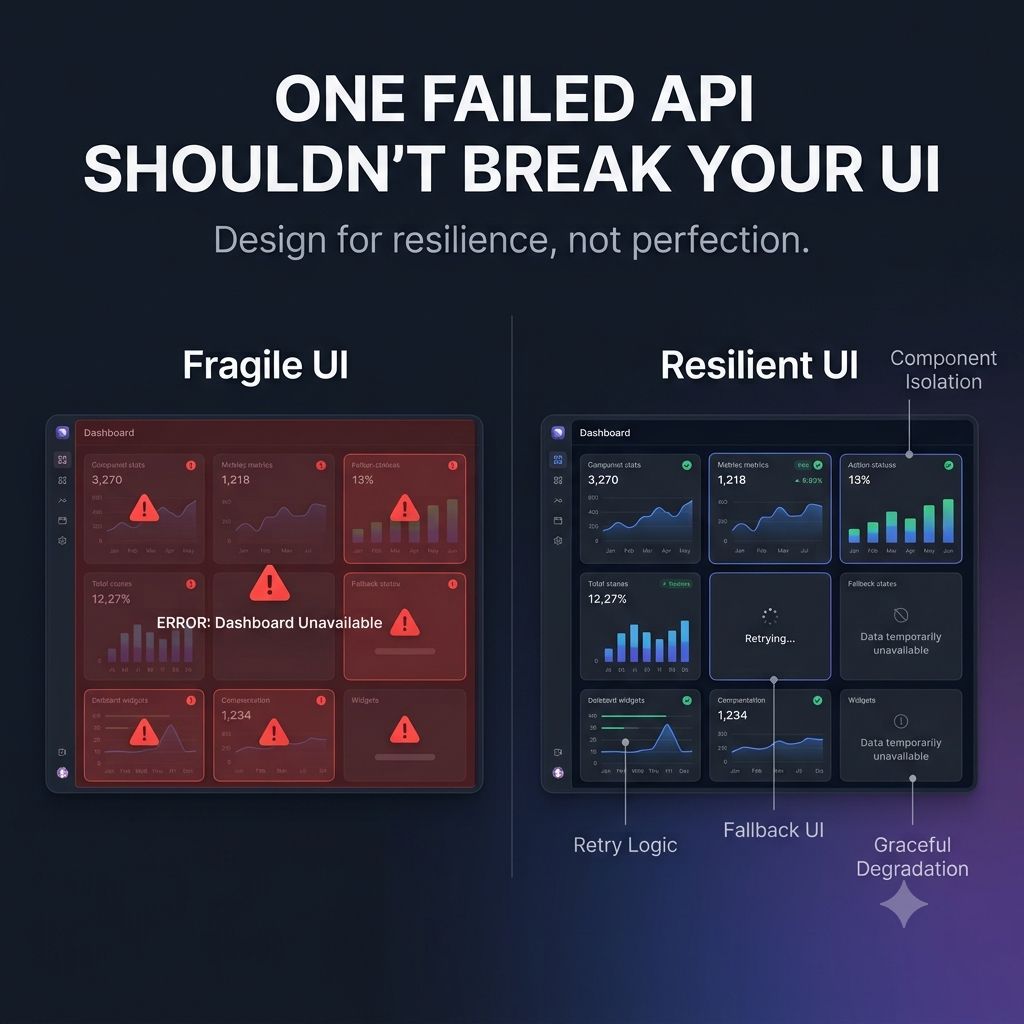
Modern frontend applications shouldn't behave that way. Instead, they should fail gracefully.
For example: ✓ Show available data while one widget retries. ✓ Display meaningful fallback states instead of generic errors. ✓ Isolate failures so one component doesn't affect the rest of the page. ✓ Retry temporary failures when appropriate.
The goal isn't to hide every error. The goal is to avoid turning a small problem into a broken experience.
One principle I try to follow is this: A resilient UI continues to provide value, even when part of the system isn't healthy.
That's a shift in thinking.
- We're not designing pages anymore.
- We're designing systems that interact with other systems.
And sooner or later, one of those systems will fail. The question is: Will your users notice?
Keep reading
Your UI Shouldn't Wait for Everything
Rendering nothing until every API responds makes a fast app feel slow. Progressive rendering, streaming and skeletons that show users something immediately.
Why Your Frontend Is Slow Even When React (or Angular) Is Fast?
Your framework is rarely the bottleneck. The real causes of slow UIs — request waterfalls, oversized bundles, and components that wait on the slowest API.
Why a Fast Frontend Can Still Feel Slow
Rendering wasn't the bottleneck — waiting was. Why users experience waiting, not JavaScript execution, and the architectural decisions that reduce it.