Why Great Frontends Slowly Become Monoliths
Frontends rarely start as monoliths, they drift into them. The architectural decisions that let a codebase keep growing without seizing up.
- Frontend at Scale
- Frontend Architecture
- Frontend
- React
- Angular
- Software Architecture
- System Design
Most frontend applications don't become difficult overnight. They grow into it.
It usually starts small.
- One shared component.
- A global utility.
- A common service.
Then another team builds on top of it. And another.
A year later, changing one feature unexpectedly breaks three others. Not because the framework is bad. But because the architecture slowly lost its boundaries.
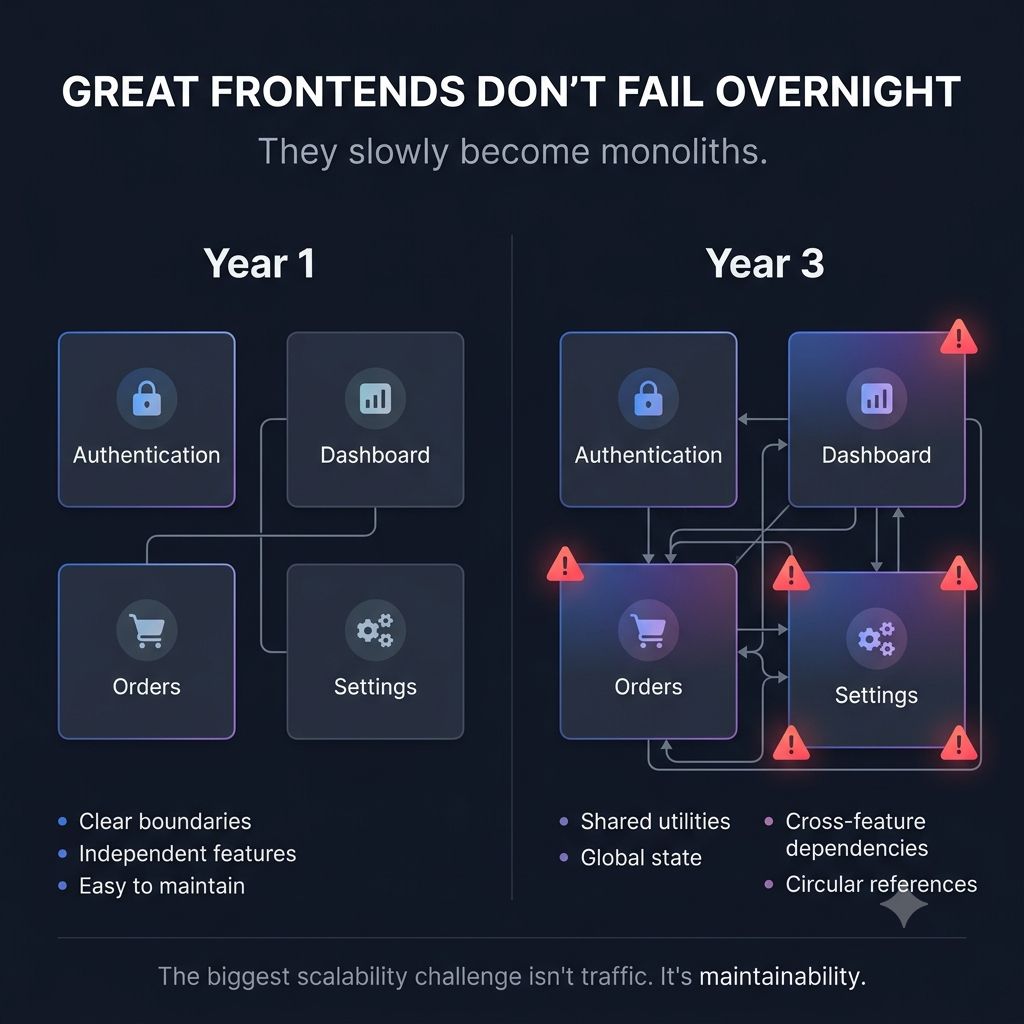
I've seen this pattern more than once. As products grow, every shortcut feels reasonable in the moment. Until the application reaches a point where every change requires understanding half the codebase.
That's when development slows down.
- Not because of React.
- Not because of Angular. Because the frontend has become a monolith.
Some early warning signs are:
- Features depending on unrelated modules
- Shared components knowing too much about business logic
- Global state becoming the default solution
- Teams afraid to refactor
One lesson that's shaped how I think about frontend architecture: Scaling isn't just about handling more users.
It's about enabling more engineers to work independently without stepping on each other.
Good frontend architecture isn't measured by how clean it looks today. It's measured by how confidently your team can change it a year from now.
Keep reading
Why Your Frontend Is Slow Even When React (or Angular) Is Fast?
Your framework is rarely the bottleneck. The real causes of slow UIs — request waterfalls, oversized bundles, and components that wait on the slowest API.
Your Frontend Shouldn't Trust a Single Click
Disabling the button is not enough. Why duplicate-submission protection has to exist on the client and the server, and what each layer is responsible for.
Why Great UIs Don't Break When One API Fails
One failed request should not blank the page. Error boundaries, fallbacks and partial rendering that keep an interface usable when a service goes down.