We Kept Optimizing React. The Real Problem Wasn't React
A team spent weeks memoizing components while an 800ms endpoint went unnoticed. Why you should measure where time is actually spent before optimizing anything.
- Production Lessons
- Web Performance
- Frontend Architecture
- Software Architecture
- System Design
One pattern I've seen repeatedly on engineering teams is this: The UI feels slow.
So the first instinct is to optimize the frontend.
- We profile components.
- Reduce re-renders.
- Memoize everything.
- Split bundles.
Sometimes those optimizations help. But surprisingly often, they aren't the biggest bottleneck.
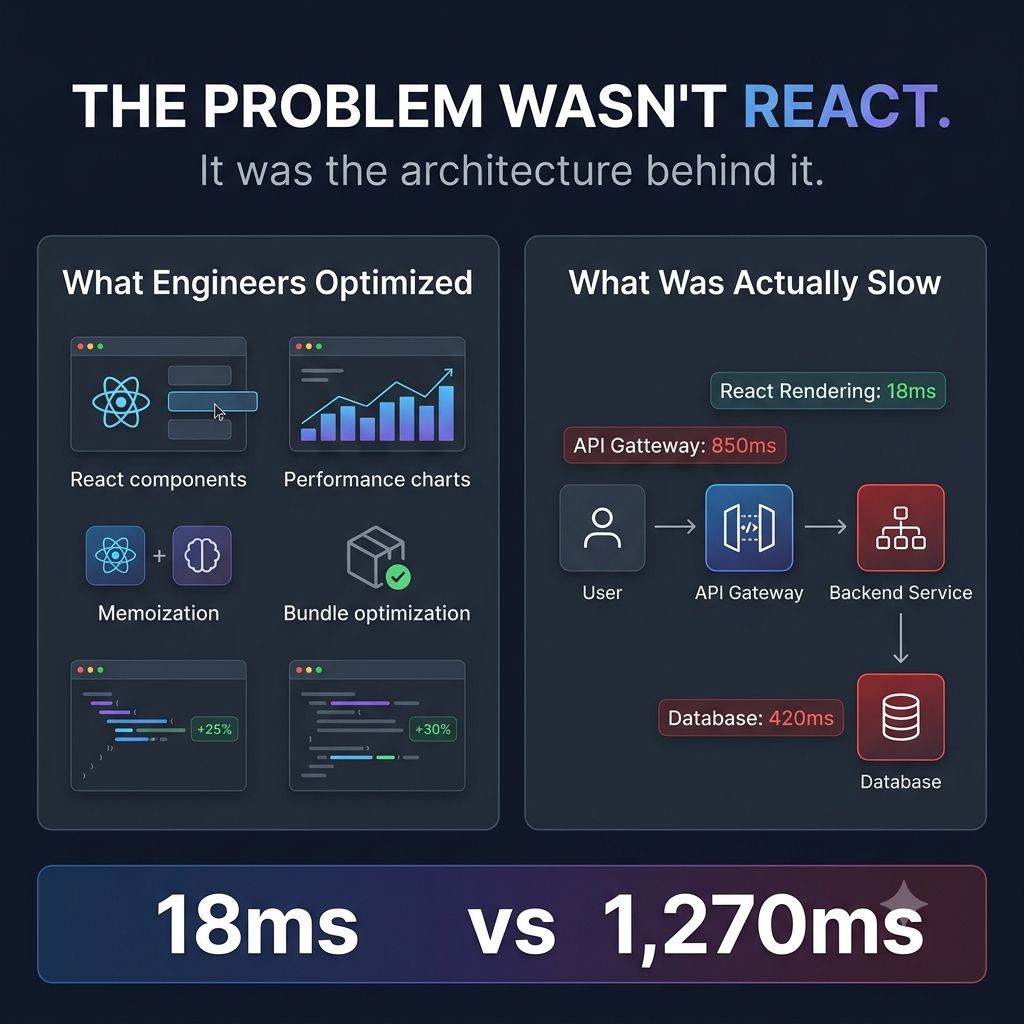
The real issue is somewhere else.
- A backend endpoint taking 800ms.
- Five sequential API calls instead of one.
- A missing cache.
- An overloaded database.
- A service waiting on another service.
From the user's perspective, none of that matters.
- They don't experience "backend latency."
- They experience a slow application.
One lesson that's changed how I approach performance: Before optimizing code, identify where time is actually being spent.
It's easy to optimize what you can see. It's harder—but far more valuable—to optimize the entire request journey.
That's why performance isn't a frontend problem or a backend problem. It's a system problem.
The best performance improvements I've seen didn't come from rewriting components. They came from improving the architecture behind them.
What's a performance issue that turned out to have a completely unexpected root cause?
Keep reading
Why a Fast Frontend Can Still Feel Slow
Rendering wasn't the bottleneck — waiting was. Why users experience waiting, not JavaScript execution, and the architectural decisions that reduce it.
Why Great UIs Don't Break When One API Fails
One failed request should not blank the page. Error boundaries, fallbacks and partial rendering that keep an interface usable when a service goes down.
Your UI Shouldn't Wait for Everything
Rendering nothing until every API responds makes a fast app feel slow. Progressive rendering, streaming and skeletons that show users something immediately.