How Does Zoom Keep Your Meeting Alive When Your Network Is Bad?
Adaptive bitrate, audio priority and automatic reconnection — how Zoom optimizes for keeping the conversation alive rather than for perfect video.
- Real System Deep Dive
- Real-Time Systems
- Reliability
- System Design
- Software Architecture
We've all been there. You're in an important meeting. Someone says, "I think you're frozen..." A few seconds later...
- The video catches up.
- The audio reconnects.
- The meeting continues.
It feels effortless. But behind the scenes, Zoom is constantly adapting to changing network conditions.
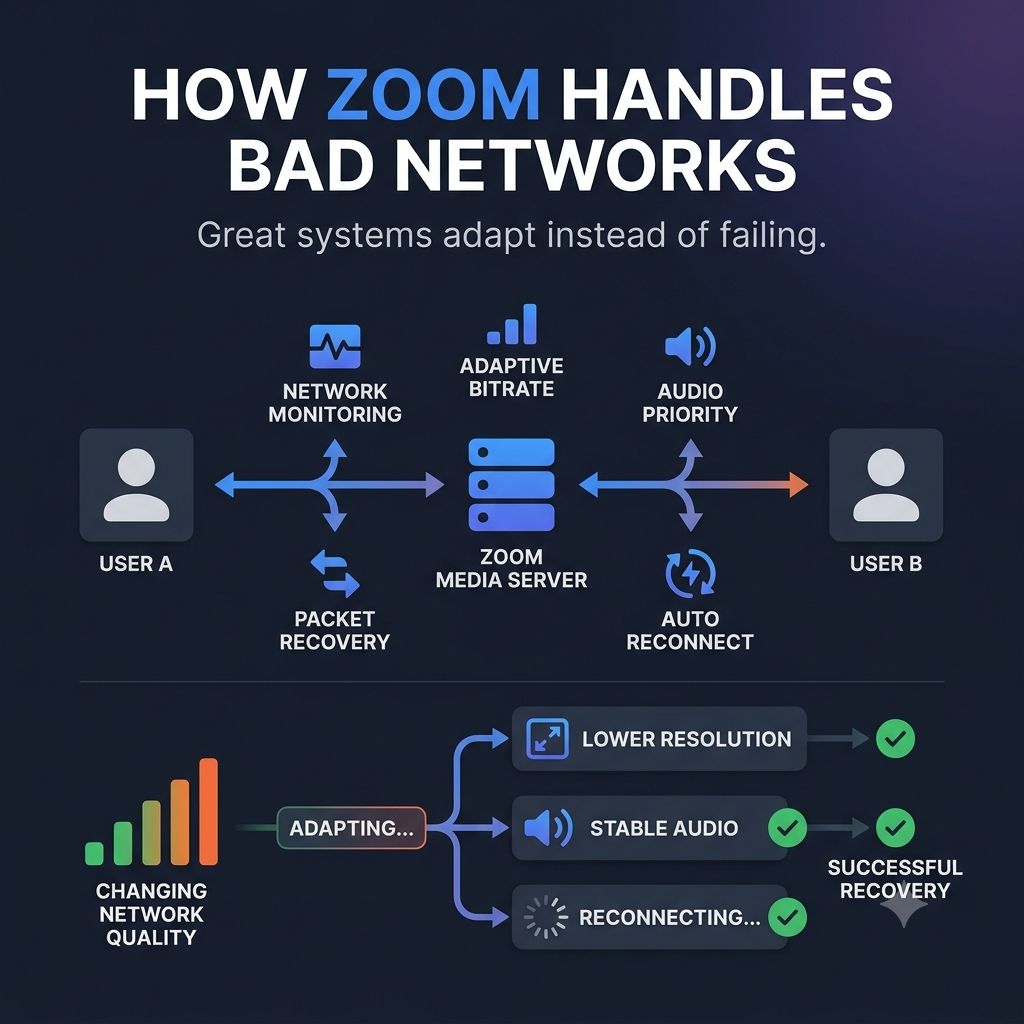
A simplified flow looks like this:
- 🎥 You join a meeting.
- 🌍 Zoom connects you to the nearest media server.
- 📡 Your device continuously measures network quality.
- ⚡ If bandwidth drops, Zoom doesn't immediately disconnect.
Instead, it adapts.
- Video quality is reduced.
- Bitrate is adjusted.
- Audio is prioritized over video.
- Lost packets are recovered where possible.
- Temporary interruptions trigger automatic reconnection.
The goal isn't perfect video. The goal is keeping the conversation alive. That's a subtle but important architectural decision.
Zoom optimizes for continuity before quality. One thing I admire about systems like this is that they don't pretend failures won't happen.
- They assume networks will fluctuate.
- Packets will be lost.
- Connections will drop.
- And they design around those realities.
That's the essence of resilient architecture. The best systems don't wait for perfect conditions. They adapt to imperfect ones.
Keep reading
How Does WhatsApp Deliver A Message in Milliseconds?
Behind one tap: persistent connections, durable message stores and offline delivery. Why WhatsApp optimizes for never losing a message, not for speed.
How Does Uber Find Your Driver in Seconds?
Geospatial matching, queues and live location updates — how Uber coordinates thousands of decisions per second behind a single tap.
How Does Uber Know Your Driver Moved Without You Refreshing the App?
A driver moves 200 meters and your screen updates without a refresh — the event pipeline, ordering problems, and filtering decisions behind Uber's live location tracking.